
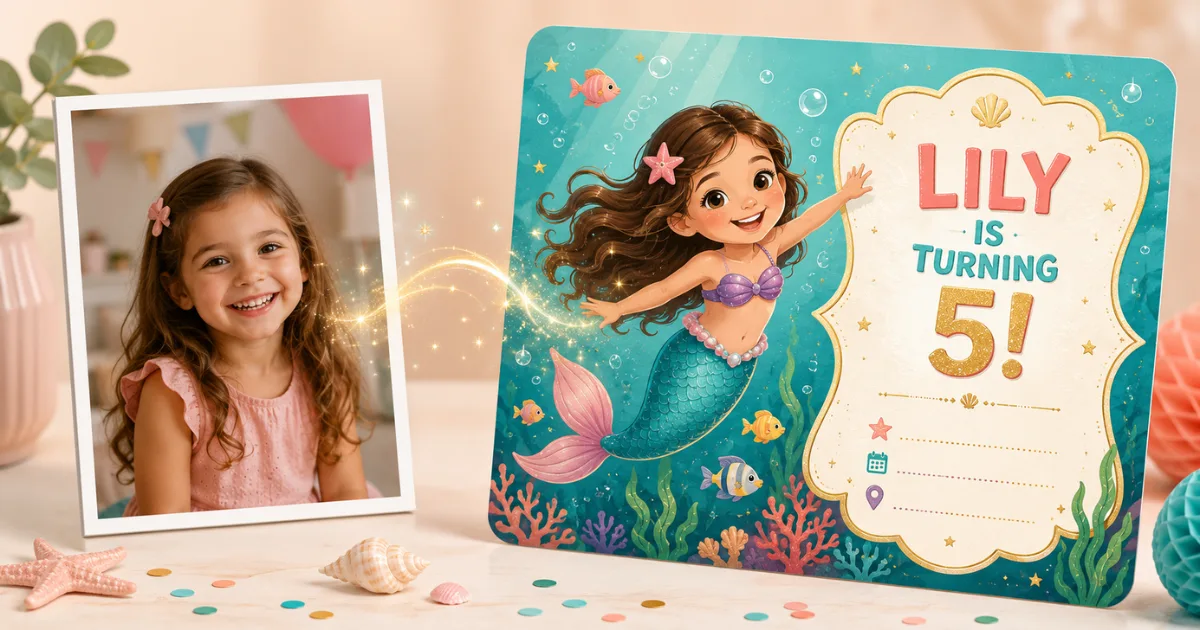
Every parent has scrolled through the same twenty invitation templates everyone else in the class already used. An AI birthday invitation card generator with photo personalization skips the template problem entirely: you upload one picture of your child, and the AI generates original invitation artwork where your child is the star — illustrated in the party’s theme, with all the party details built in.
Here’s how it works, what makes a photo invitation land well with guests, and what to know before you upload a photo of your kid to any AI tool.
How a Photo-Based AI Invitation Generator Works
Traditional invitation makers place your photo inside a decorative frame. A generative AI tool like Big Day Card does something different: it uses your photo as an artistic reference and creates a brand-new illustration that blends your child’s features with the theme you pick. Your daughter becomes the mermaid on the invite; your son becomes the astronaut. Guests immediately recognize who it is — that’s the “wow” moment.
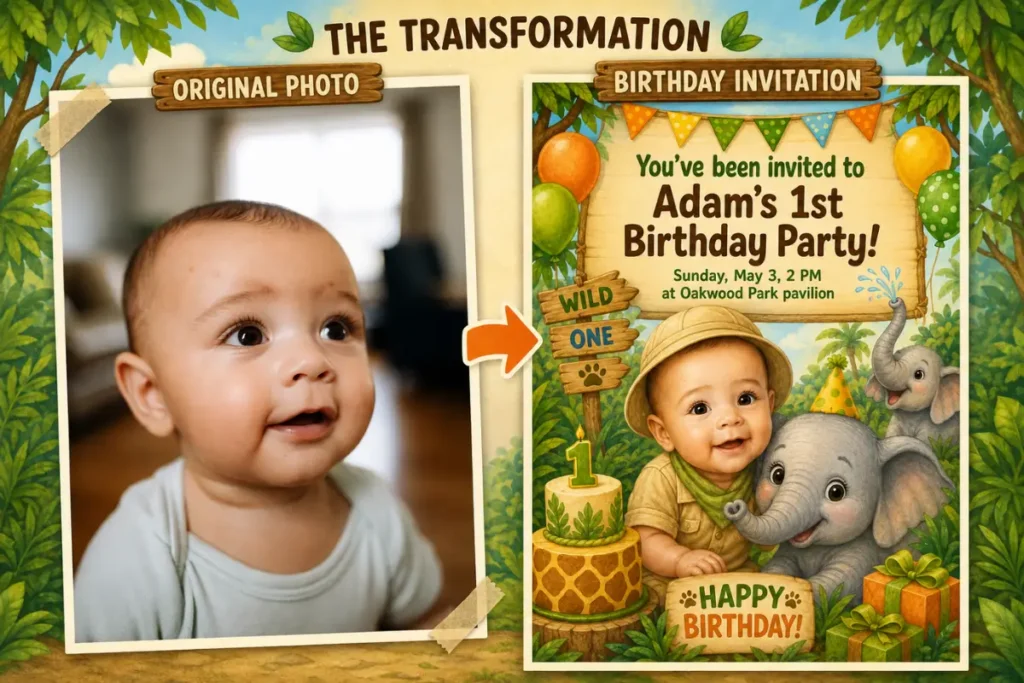
Create a Photo Birthday Invitation in 4 Steps
- Choose a theme. Start in the invite builder and pick the party’s theme — superheroes, princesses, dinosaurs, space, and more.
- Upload one photo. A clear, well-lit shot where your child’s face is visible. That’s the only input the AI needs.
- Customize the details. Add the party date, time, location, and RSVP info. Write your own invitation text or let the AI generate a fun, theme-specific line you can edit.
- Generate, download, share. The invitation is ready in seconds. Send it by WhatsApp or email, post it in the class group chat, or print it. You get 5 free invitations to experiment with.
Choosing the Right Photo (This Matters More Than Anything Else)
- Clear face, good light. Daylight near a window beats any indoor evening shot. The AI builds the likeness from what it can see.
- Front-facing works best. Slight angles are fine; full profiles aren’t.
- One child per photo. Crop siblings out so the AI knows who the birthday star is.
- Don’t worry about the background. The AI focuses on your child even in a busy scene — a beach photo or a living-room snapshot both work.
- Recent photo. Kids change fast; a picture from last month will look more like them at the party than one from last year.
What to Write on a Kids’ Birthday Invitation
Guests need five things: who, what, when, where, and how to RSVP. The theme line is where you have fun. Examples you can adapt:
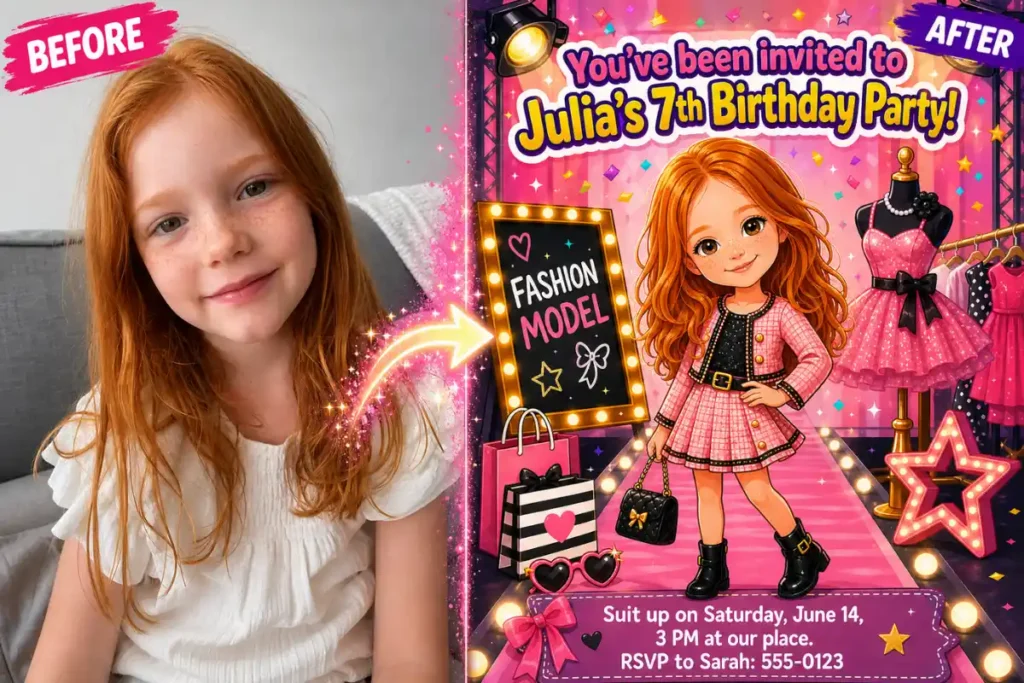
- Superhero party: “Calling all heroes! Max is turning 6 and the city needs YOU. Suit up on Saturday, June 14, 3 PM at our place. RSVP to Sarah: 555-0123.”
- Mermaid/under the sea: “Splash! Join Luna under the sea for her 5th birthday — Sunday, May 3, 2 PM at Oakwood Park pavilion.”
- Dinosaur dig: “Stomp on over! Theo’s turning 4 and it’s going to be roar-some.”
If wording isn’t your thing, the builder’s AI writes a theme-matched line for you — you keep full editing control before generating.
Digital, Printed, or Both?
Most parents now send invitations digitally — class group chats have made paper optional. A generated invitation works for either: share the image directly to WhatsApp, Messenger, or email for instant delivery, or download it in high resolution and print copies for the school cubbies. There’s no separate fee per delivery method; the invitation file is yours.
Photo Privacy: What to Check Before Uploading Your Child’s Picture
Before using any AI generator with a child’s photo, check three things in the service’s policy: how long the photo is stored, whether it’s used to train AI models, and whether it’s shared with third parties. At Big Day Card, uploaded photos are used only to generate your invitation, are deleted within 24 hours, and are never used for training or any other purpose. If a tool you’re considering doesn’t answer these questions plainly, pick one that does.
Frequently Asked Questions
Is there a free AI birthday invitation generator with photo upload?
Yes — Big Day Card lets you create 5 invitations free, so you can try different themes and photos before choosing. The free limit resets after each purchase.
Will the invitation actually look like my child?
The AI blends your child’s features from the photo into the themed artwork, so guests recognize them instantly. Likeness quality depends mostly on the photo: clear face, good light, one child in frame.
Can I change the text on the invitation?
Yes, completely. Add your own party details and message, or let the AI suggest a theme-specific line and edit it during the Customize step.
What photo formats and quality do I need?
A normal phone photo is enough. The main requirements are a clearly visible, well-lit face — not megapixels.
How is this different from Canva or a template site?
Template sites put your photo in a frame on a design that thousands of other parents also used. A generative AI tool creates original artwork where your child is illustrated as part of the theme — a unique invitation that can’t be replicated.
Is my child’s photo stored or used for AI training?
No. Photos are used only to generate your invitation and are deleted within 24 hours. They are never used to train models or shared with anyone.
Try It With One Photo
Pick your theme, upload a photo, and see your child as the star of their own invitation — it takes about a minute. Create your birthday invitation free. And if you also want a matching greeting card for the day itself, see our guide to making an AI birthday card with your child’s name.