
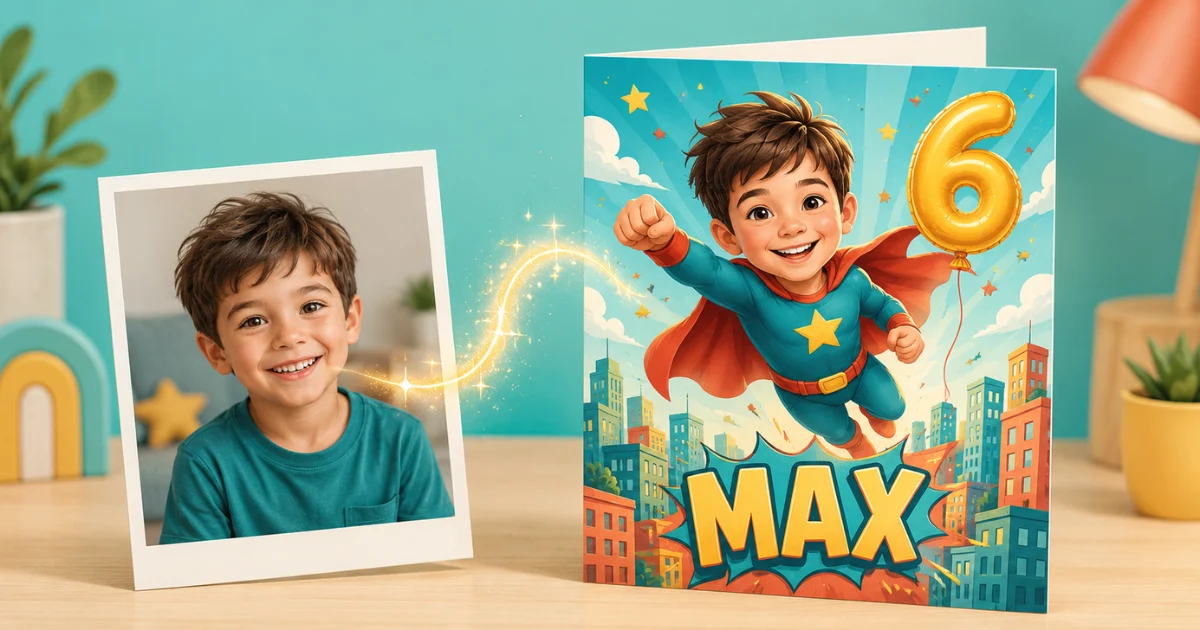
Type a child’s name into a generic card template and you get exactly that: a generic card with a name on it. An AI birthday card generator with name personalization works differently. Instead of dropping “Emma” into a pre-made design, the AI builds the entire card around the child — their name, their photo, and a theme they love — so the finished card looks like it was illustrated just for them.
This guide explains how name-personalized AI birthday cards work, how to make one in about a minute, and how to get results good enough to print and hand out.
What Is an AI Birthday Card Generator With Name Personalization?
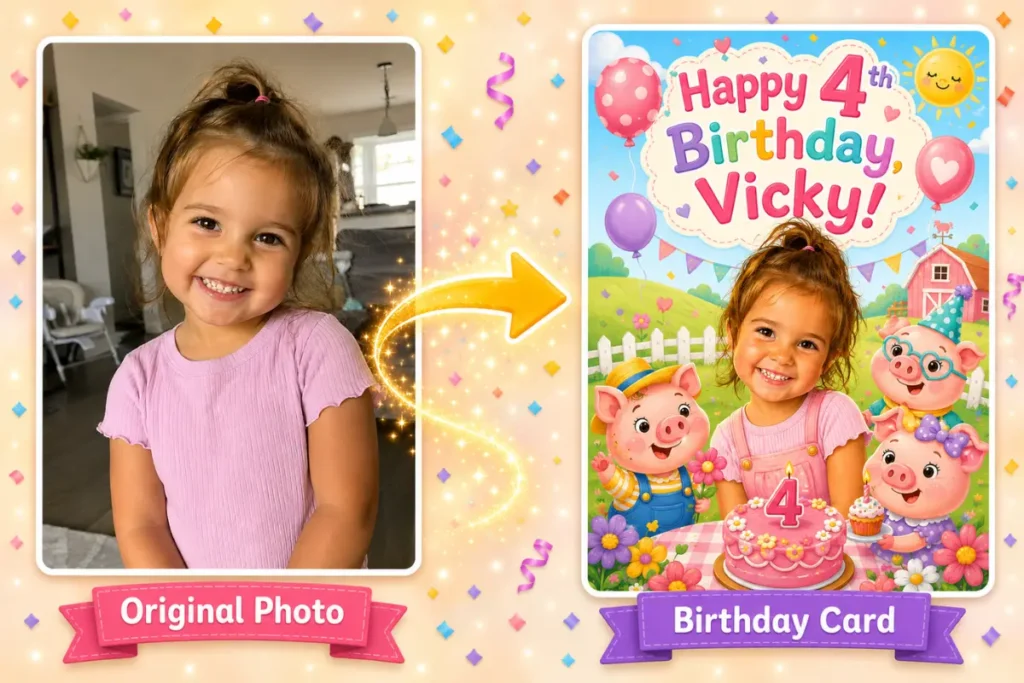
It’s a tool that uses generative AI to create a one-of-a-kind birthday card design featuring the recipient’s name as part of the artwork — not as an afterthought pasted on top. The best versions go a step further and personalize the character on the card too, using a photo as reference so the illustrated hero of the card actually resembles the birthday child.
That’s the approach we take at Big Day Card: you upload one clear photo of your child, pick a theme (dinosaurs, princesses, space, superheroes — whatever they’re into this year), and the AI generates an artistic card where your child is the character, with their name woven into the design.
How to Make a Birthday Card With a Name in 4 Steps
- Upload a photo. One clear, well-lit picture where the face is easy to see. A phone snapshot is fine.
- Pick a theme. Choose the style that matches the party or the child’s current obsession.
- Add the name and message. Type the birthday child’s name and either write your own message or let the AI suggest a fun, theme-matched line (“Calling all astronauts! Captain Leo is turning 6!”).
- Generate and download. The AI creates the card in seconds. Regenerate if you want a different look — you get 5 free creations to experiment with.
Photo Tips: How to Get a Card That Actually Looks Like Your Child
The photo you upload is the single biggest factor in how good the card turns out. From generating thousands of cards, here’s what consistently works:
- Face the camera. A front-facing or slightly angled shot gives the AI the most to work with. Profile shots lose likeness.
- Good light beats good camera. Natural daylight near a window outperforms a dim indoor shot from an expensive phone.
- One child in frame. If siblings are in the photo, the AI has to guess who the card is for. Crop first.
- Skip sunglasses and heavy shadows. Anything covering the eyes or half the face reduces resemblance.
- Busy backgrounds are fine. Modern AI isolates the face well, so don’t stress about a clean backdrop.
Name and Message Ideas by Theme
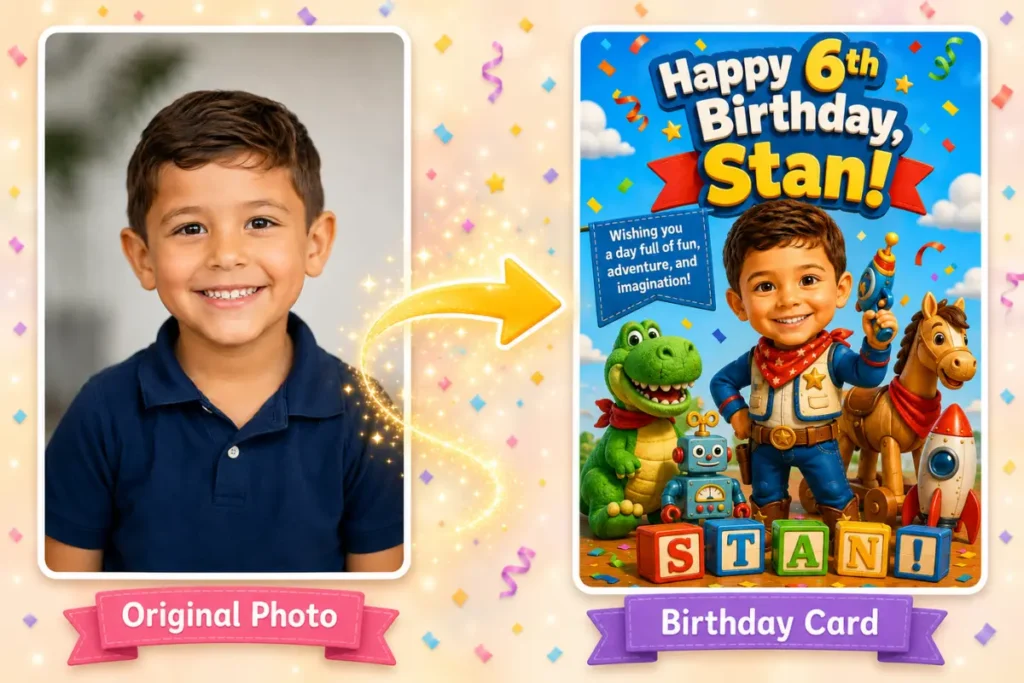
The name is the emotional hook of the card — kids light up when they see themselves as the star. Some wording patterns that work well:
- Superhero: “Super Maya saves the day — and turns 7!”
- Space: “3, 2, 1… Liftoff! Astronaut Noah is turning 5!”
- Princess/fairy tale: “Once upon a time, Princess Aria turned 4…”
- Dinosaur: “ROAR! Jack is turning 6 — it’s going to be dino-mite!”
- Under the sea: “Dive in! Mia’s 8th birthday is making waves!”
If you’re stuck, the builder’s AI can write a theme-specific line for you during the Customize step — and you can edit every word before generating.
AI Card Generators vs. Template Card Makers
Both put a name on a card, but the results are very different:
| Template maker (Canva-style) | AI generator (Big Day Card) | |
|---|---|---|
| The design | Same template thousands of others used | Unique artwork generated for one child |
| The name | Text box on top of the design | Part of the composed artwork |
| Your child | A photo cropped into a frame, or absent | Illustrated as the hero of the card |
| Effort | 15–30 minutes of dragging elements | About a minute: upload, pick theme, generate |
Is It Safe to Upload My Child’s Photo?
This is the question parents should ask about any AI tool, and the answer depends on the service’s policy — so check it before uploading anywhere. At Big Day Card, photos are used only to generate your card, are deleted within 24 hours, and are never used to train AI models or for any other purpose. The card is yours; the photo doesn’t stick around.
Frequently Asked Questions
Can I make an AI birthday card with just a name and no photo?
Our generator is built around photo personalization — the photo is what makes the card’s character look like your child, and the name is added during the customize step. If you only want a name on a stock design, a standard template maker will do; but the combination of name + likeness is what makes kids gasp when they see the card.
Is the AI birthday card generator free?
You can create 5 cards free, which is enough to try different themes and photos and pick a favorite. Your free limit resets after each purchase.
Can I edit the text on the card?
Yes — full control. Write your own message, or let the AI generate a theme-matched line and tweak it.
Can I print the card or is it digital only?
Both. Download your card and print it at home or at a print shop, or share it digitally by message and email.
How long does it take to generate a card?
Seconds per generation. Most parents go from photo upload to finished card in under a minute, including picking a theme.
Make Your Card
The fastest way to see the difference is to try it: upload a photo, add the name, pick a theme, and watch the card build itself. Create your personalized birthday card free — your first 5 are on us.